

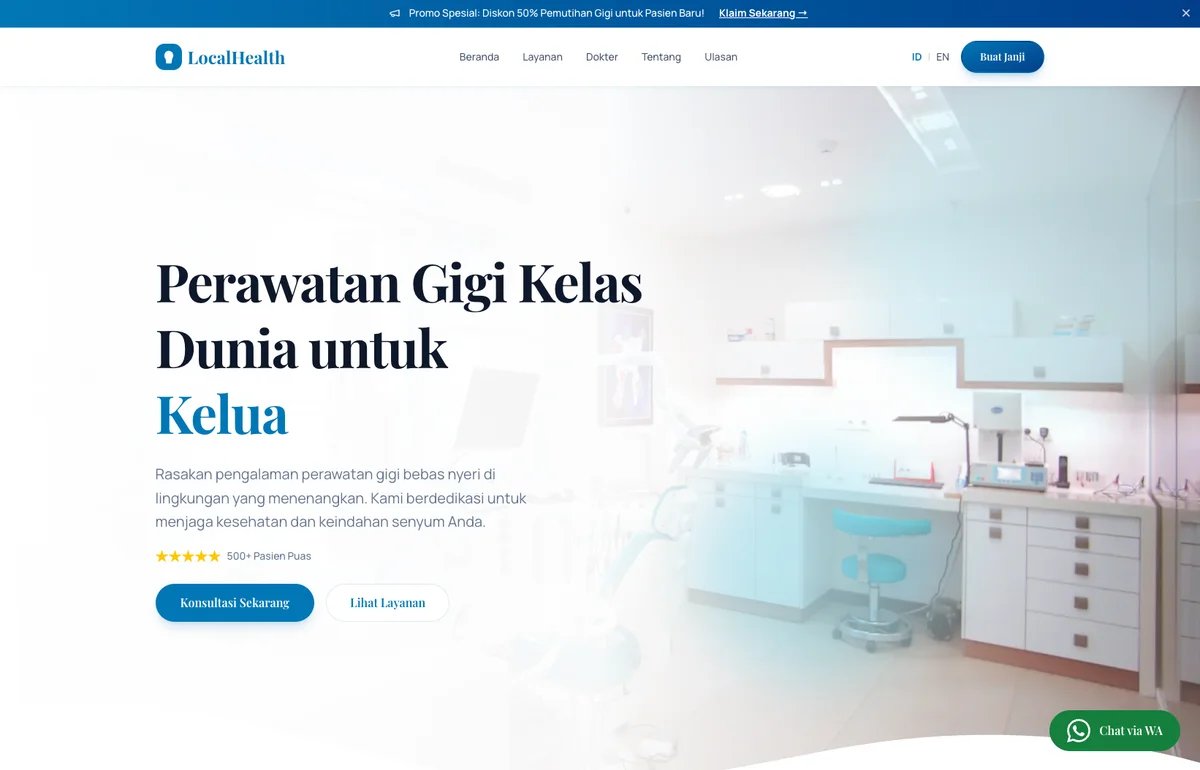
A Patient Searching at Midnight Can't Call, But They Can Tap
When someone searches for a dentist, the decision is already made. They need the treatment. What they haven't decided yet is which clinic gets the appointment. The Smile Dental Clinic template is built to settle that question fast: establish the doctor's authority, make the treatment menu scannable, and put a WhatsApp booking button within two taps of wherever a patient is on the page.
Who This Is For
Single-location urban dental clinics serving patients who search "dentist near me" or "klinik gigi [kota]" late at night on mobile, often when discomfort has finally pushed them to act. The template is built for clinics with a named lead dentist and a focused menu of high-value treatments (implants, orthodontics, whitening, pediatric), competing against neighborhood walk-in clinics and corporate dental chains on credentialed authority rather than lowest price. Positioning is bilingual EN/ID with doctor credentials, clinical photography, and a two-tap WhatsApp booking flow, all the signals a generalist walk-in clinic doesn't bother to surface. Market context: most new-patient searches in Indonesia happen on mobile in the evening, the patient is choosing rather than browsing, and the clinic whose site loads fast and books faster wins the appointment.
What This Template Covers
- Two-Tap WhatsApp Booking: The primary CTA opens WhatsApp with the appointment message pre-filled. The patient hits send. Nothing to type, no form to abandon halfway through.
- High-Value Treatment Showcase: Veneers, implants, braces, and bleaching each get their own section with a plain-language description and pricing context. That's enough for a patient to self-qualify before they contact the clinic.
- Doctor Profile & Credentials: Photos, qualifications, and clinical experience placed where a patient is already asking "can I trust this person?" rather than buried in an About page they'll never visit.
- Local SEO Structure: Every treatment page and the homepage carry city-targeted headings and schema markup so the clinic shows up when a patient searches "dentist [kota]" or "klinik gigi near me" from their phone.
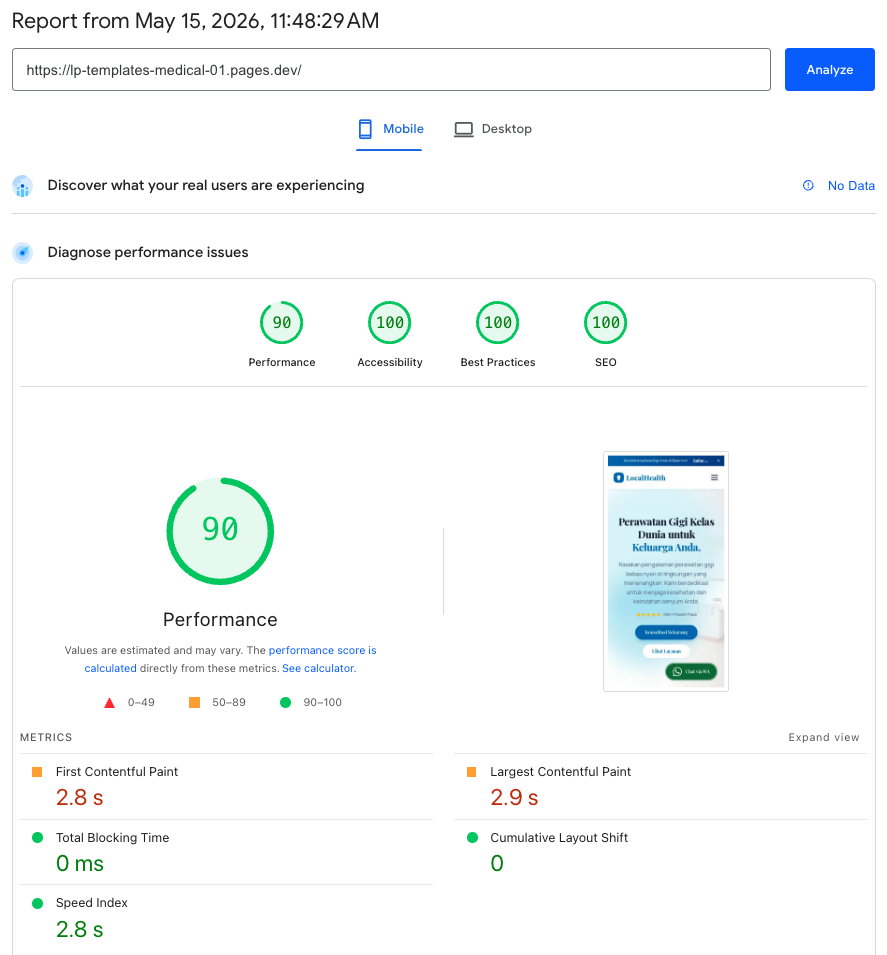
- Zero Runtime JavaScript: Built with Astro, served from Cloudflare's global edge. Nothing executes in the browser. The page is already rendered. That's why Core Web Vitals scores 97/99 on mobile, not just on a developer's machine.
Full Site Architecture: 14 Pages
Fourteen pages built around one phone call that never has to happen, because the patient already knows which doctor handles their case, what the treatment involves, and how to book, all before picking up the phone. The bilingual structure mirrors the patient journey in both languages, and the two-tap WhatsApp booking is the architectural endpoint every page feeds into.
dental-clinic/ (bilingual: EN root · ID at /id/) ├── / HOME │ ├── [Hero] Trusted dental care + WhatsApp CTA │ ├── [§] Services overview: 4 treatment cards │ ├── [§] Featured doctors: 3 profiles │ ├── [§] Patient testimonials │ ├── [§] Location & opening hours │ └── [CTA] WhatsApp Appointment ← primary goal │ ├── /services TREATMENTS (4 sub-pages) │ ├── /dental-implants Dental Implants │ ├── /orthodontics Orthodontics & Braces │ ├── /pediatric-dentistry Pediatric Dentistry │ └── /teeth-whitening Teeth Whitening │ each: [Hero] + [§] process + [§] FAQ + [CTA] WhatsApp │ ├── /doctors DOCTORS (6 profiles) │ each: [§] bio + credentials + [CTA] Book with this doctor │ ├── /reviews PATIENT REVIEWS ├── /promo ACTIVE PROMOTIONS └── /book APPOINTMENT BOOKING ← conversion───────────────────────────────────────────────────────────────── [Hero] lead section · [§] content section · [CTA] conversion point bilingual · 4 treatment pages · 6 doctor profiles · booking form
Independent Verification
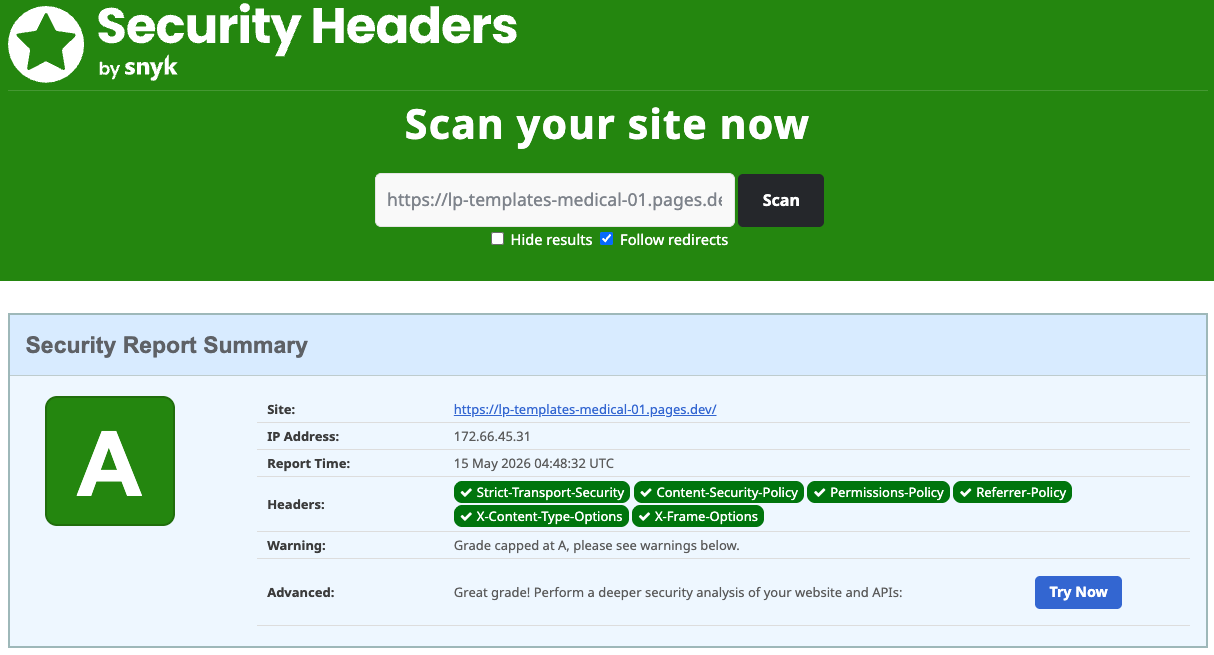
Both reports were captured on the live site, not a staging environment. Click either image to run a fresh scan yourself.
Google's public tool for measuring real-world web performance. It scores pages across Performance, Accessibility, Best Practices, and SEO, each out of 100. A score of 90+ is considered good; this site scored 97 on mobile and 99 on desktop.
An independent scanner that checks which HTTP security headers a site has configured. Headers like CSP, HSTS, and X-Frame-Options protect visitors from common web attacks. Grade A means all major headers are present and correctly set.
How to Evaluate the Demo
- Booking flow: Start on the homepage. Tap the booking button and count how many steps it takes to have a WhatsApp message ready to send. The target is two. Anything more is friction that costs appointments.
- Treatment section: Pick a treatment your prospective patient might have in mind, say veneers or braces. Does the page give them enough (description, pricing signal, process overview) to feel informed before they book?
- Doctor section: Imagine you've never heard of this clinic. Does the doctor's photo, degree, and clinical background clear the bar for "someone I'd let work on my teeth"?
- Mobile loading: Open the demo on your personal phone, not a fast laptop. Dental searches happen on mobile, often in moments of discomfort. Check load speed and whether the booking button is reachable with one thumb.
- Accessibility: Run PageSpeed Insights on the demo URL. Headings, contrast ratios, alt text, and keyboard navigation all pass automated accessibility checks. It's not just a visual template.
- Security: Run the SecurityHeaders.com scan linked above. Grade A confirms every patient's browsing session is protected by CSP, HSTS, X-Frame-Options, and the rest of the standard security header set.
"Most people search for a dentist when something already hurts, or when they've been ignoring something long enough. By then, they're not comparing options; they're looking for a reason to choose. Give them one, fast."