

EN / ID
Lifestyle

EduKids Learning Center

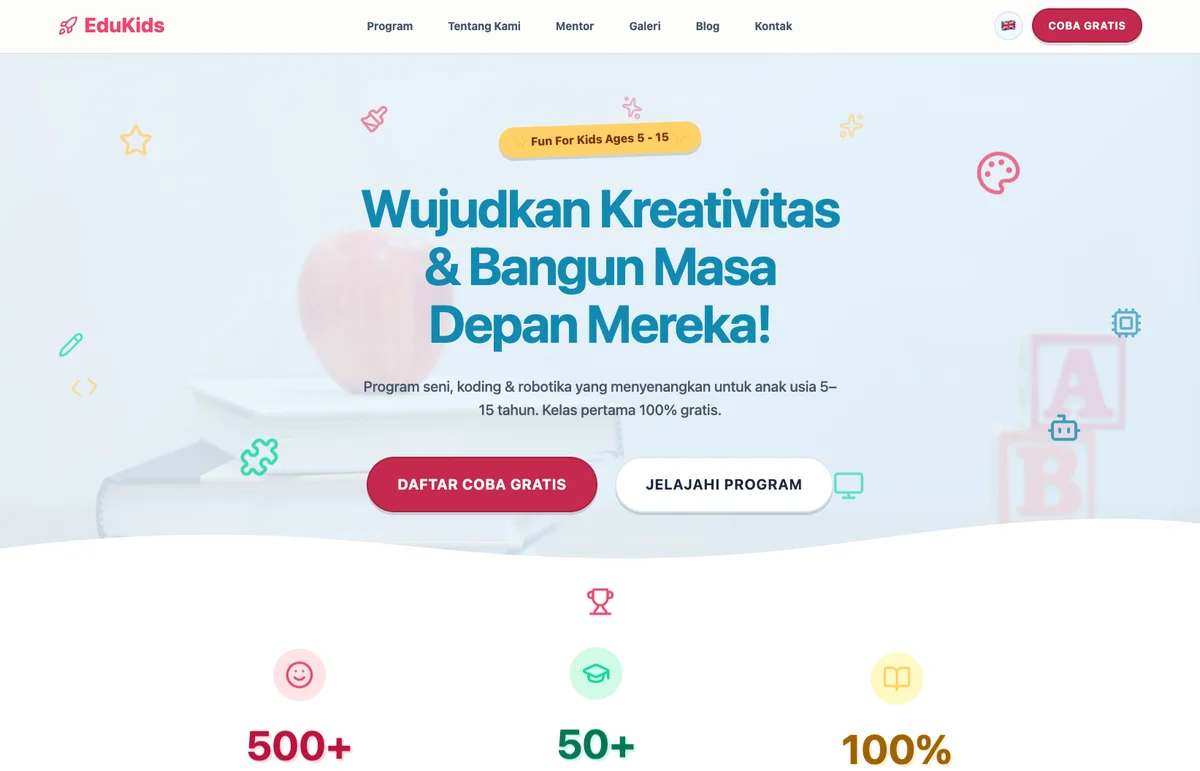
Website template for tutoring centers and learning institutions with clear program information, parent testimonials, and a fast WhatsApp enrollment flow for maximum conversion.

96/99 Core Web Vitals
Above fold Enrollment CTA
Zero Runtime JS
A Security headers
lp-templates-edu-01.pages.dev

The Parent Has Already Read Three Other Sites Tonight. Make This One the Last.

Parents researching tutoring centers aren't doing it during office hours. They're doing it after dinner, on their phone, when they can't call anyone for answers. The EduKids Learning Center template gives them what they came for immediately: programs organized by age and subject, teachers introduced with enough detail to feel familiar, and testimonials from other parents that name real improvements. By the time they reach the WhatsApp enrollment button, the only question left is which session to request.

Who This Is For

Established and growing tutoring centers and learning institutions serving children ages 4 to 12, with bilingual operations in English and Indonesian that target parents researching enrollment options at night. The template is built for centers offering structured program tracks (art, coding, academic subjects) led by qualified mentors, competing against traditional schools, neighborhood tutoring outfits, and national online platforms like Ruangguru and Cakap on substance rather than discount pricing. Positioning leans on named mentors, specific student outcomes, and bilingual program clarity, all the signals an online-only platform struggles to match. Market context: Indonesian parents do most enrollment research on mobile in the evening, trust matters more than regulation in this segment, and the decision typically happens across two or three sessions before a single message is sent.

What This Template Covers

  • Structured Program Overview: Each program card shows the target age range, subject focus, and session structure, so a parent spending ten minutes researching can find the right match without sending a single inquiry first.
  • Teacher Profiles: Photos, educational backgrounds, and specialty areas presented in full, not just names. Parents choosing someone to work with their child need more than a headshot; this section gives them enough to form a real impression.
  • Parent Testimonials: Social proof written to name specific outcomes: grade improvements, competition results, a student who finally stopped dreading homework. Vague praise doesn't move a cautious parent toward enrollment.
  • WhatsApp Enrollment Flow: The main CTA opens WhatsApp with a pre-formatted enrollment message. A parent who has decided doesn't have to compose anything: they tap and send. Enrollment at midnight is as easy as enrollment at noon.
  • Zero Runtime JavaScript: Built with Astro, served from Cloudflare's edge. The enrollment button is above the fold on every mobile screen, visible before a parent has scrolled once. That's part of why Core Web Vitals reaches 96/99.

Full Site Architecture: 13 Pages

The site is organized around the parent's evaluation sequence: understand the teaching method first, then see who the instructors are, then understand pricing and process before committing to enrollment. Every page answers the next question a considering parent is likely to have, and the enrollment CTA stays within two taps throughout.

kids-learning/
├── /                           HOME
│   ├── [Hero]   Creative learning for curious minds + Enrollment CTA
│   ├── [§]      Programs: Art Track & Coding Track
│   ├── [§]      Featured mentors: 3 profiles
│   ├── [§]      Parent testimonials
│   └── [CTA]    WhatsApp Enrollment  ←  primary goal
│
├── /programs                   PROGRAMS  (6 classes)
│   ├── Art Track
│   │   ├── /prog-art-clay         Clay & Sculpture
│   │   ├── /prog-art-comics       Comics & Illustration
│   │   └── /prog-art-drawing      Drawing & Sketching
│   └── Coding Track
│       ├── /prog-code-ai          AI Basics
│       ├── /prog-code-gamedev     Game Development
│       └── /prog-code-robotics    Robotics
│       each: [§] curriculum + schedule + age group + [CTA] Enroll
│
├── /mentors                    MENTORS  (profiles + specialties)
├── /gallery                    STUDENT WORK GALLERY
├── /blog                       NEWS & ACTIVITIES
└── /contact                    ENROLLMENT FORM & CONTACT

───────────────────────────────────────────────────────────────── [Hero] lead section · [§] content section · [CTA] conversion point 6 program pages · mentor profiles · gallery · blog

Independent Verification

Both reports were captured on the live site, not a staging environment. Click either image to run a fresh scan yourself.

Google PageSpeed Insights Performance Score

Google's public tool for measuring real-world web performance. It scores pages across Performance, Accessibility, Best Practices, and SEO, each out of 100. A score of 90+ is considered good; this site scored 96 on mobile and 99 on desktop.
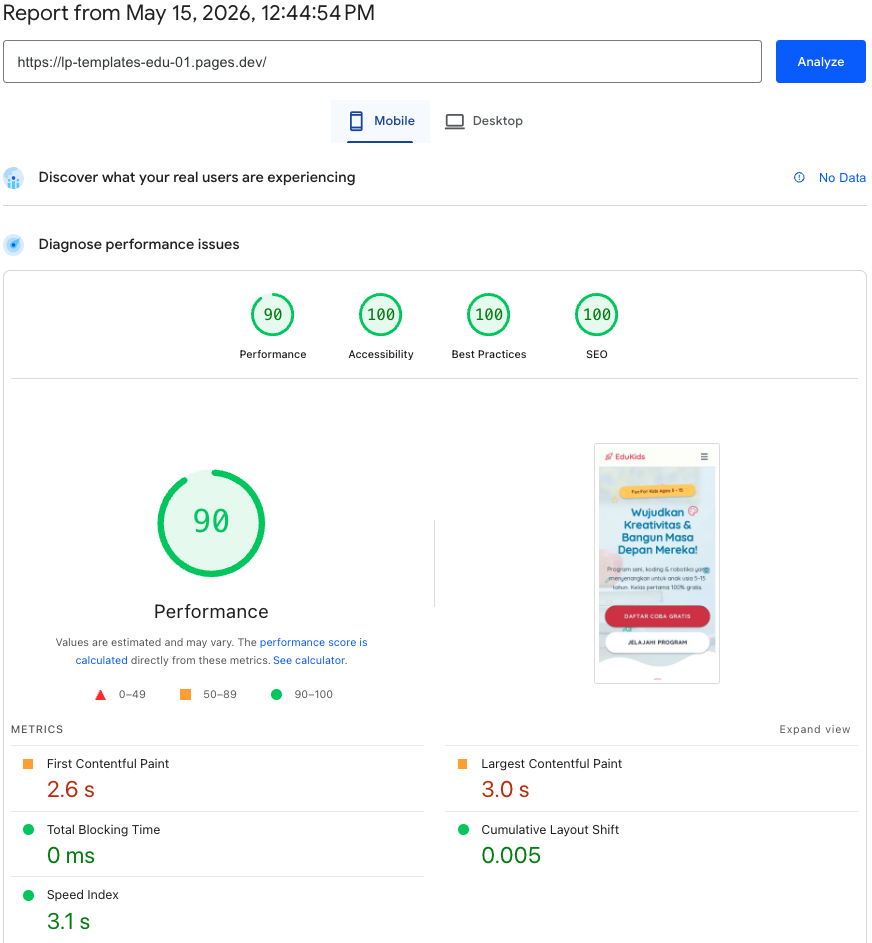
PageSpeed Insights 96/99. Performance, Accessibility, Best Practices, SEO.
Run a live scan ↗
SecurityHeaders.com by Snyk Security Headers Audit

An independent scanner that checks which HTTP security headers a site has configured. Headers like CSP, HSTS, and X-Frame-Options protect visitors from common web attacks. Grade A means all major headers are present and correctly set.
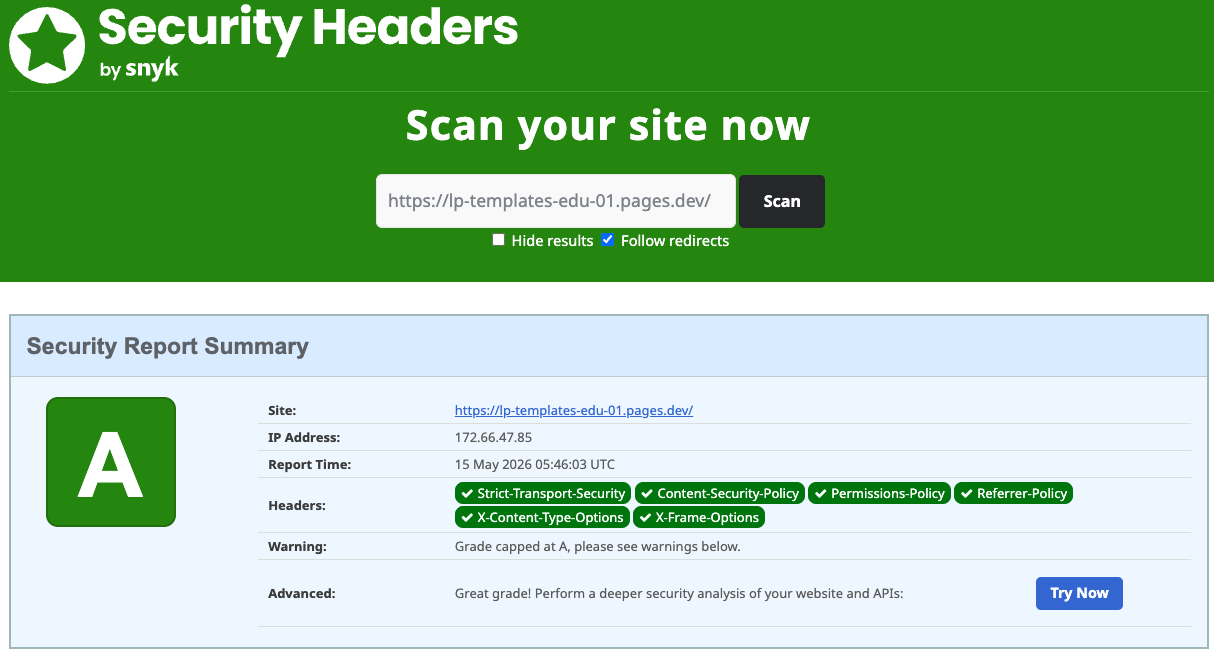
SecurityHeaders.com Grade A. All major headers present.
Run a live scan ↗

How to Evaluate the Demo

  • Programs section: Imagine you're a parent with a child in Grade 4 who needs help with math. Can you find the right program, correct age group, right subject, within 10 seconds of landing on the page?
  • Enrollment CTA: Open the demo on your phone without scrolling. Is the enrollment button already visible? A parent who is ready should never have to go looking for it.
  • Testimonials: Read the testimonials as a skeptical parent would. Do they name specific results, a grade that improved or a skill that clicked, or do they read like something any center could have written?
  • Enrollment flow: Tap the WhatsApp button. Count the steps from the homepage to a message ready to send. That gap between "decided" and "enrolled" is what this template is designed to collapse.
  • Accessibility: Run PageSpeed Insights on the demo URL. Headings, contrast ratios, alt text, and keyboard navigation all pass automated checks. The template works for parents using assistive technology, older phones, and small screens.
  • Security: Use the SecurityHeaders.com scan linked above. Grade A confirms CSP, HSTS, X-Frame-Options, and the rest of the standard security header set are active. Parents sharing their child's information deserve a site that takes that seriously.
"Parents don't enroll their child in a tutoring center. They entrust them to one. A website that makes that decision feel safe and easy is worth more than any promotion you could run."
THE BRIEF

What We Were Hired to Solve

The Challenge

Parents researching tutoring centers do most of their searching in the evening, after the kids are in bed, when they can't call anyone to ask questions. The website has to answer everything: the right programs, qualified teachers, real results from other students. Otherwise the parent closes the tab and tries a different center tomorrow.

The Approach

Win the parent's confidence before asking for the enrollment. Structure programs by age and subject so they're scannable at 10pm. Let teacher profiles do the reassuring work that a phone call would have done. Then back every claim with parent testimonials that name specific results, and put the WhatsApp enrollment button where a parent who is ready doesn't have to hunt for it.

THE PROCESS

How We Built It

8 stages · Click each to see the output and reasoning

01

Discovery & Goals

Clarifying which programs parents actually search for, what teacher credentials carry weight with cautious families, and what a WhatsApp enrollment message needs to say to feel safe to send.

WHAT WE DELIVERED

A focused project brief covering program categories organized by age group and subject, teacher credential types ranked by parent trust signal, testimonial format requirements, and one north-star metric: the WhatsApp enrollment tap.

WHY IT MATTERS

No parent enrolls their child on a whim. The decision happens slowly, across multiple evening sessions of research. Setting WhatsApp enrollment as the north-star kept every design decision focused on reducing the distance between a parent's confidence and their action.

02

Design & Brand Direction

Building a visual identity that reads as both warm and serious. That's the balance a parent needs to feel before they'll hand their child's development to a stranger.

WHAT WE DELIVERED

Visual system delivered: a friendly-but-grounded color palette, typography that signals educational credibility without feeling stiff, structured program card layout for quick age-and-subject scanning, and a component library oriented toward the parent reading at night on a phone.

WHY IT MATTERS

Parents aren't hiring a tutor the way they book a service. They're choosing someone to spend time with their child. The design had to communicate that the center takes that responsibility as seriously as they do, without looking like a government brochure.

03

Sitemap & Architecture

Sequencing 13 pages around the order a parent actually evaluates a tutoring center: programs first, then teachers, then evidence, then price, then action.

WHAT WE DELIVERED

Page hierarchy mapped and validated: homepage, six program pages with age group and curriculum detail, mentor profiles, student work gallery, blog for credibility, and a contact/enrollment page with WhatsApp CTA. Each page is positioned to answer the question a parent is carrying at that moment.

WHY IT MATTERS

Parents run through a mental checklist before any enrollment decision: Does the program fit my child's age and subject? Are the teachers qualified? Have other kids actually improved? What does it cost? How do I sign up? The architecture follows that exact sequence.

04

Development

Zero runtime JavaScript. A site that loads on a mid-range Android at 10pm on a home WiFi connection, because that's when most parents are actually doing this research.

WHAT WE DELIVERED

Staging site delivered: responsive across all screen sizes, Astro-built for zero JS runtime, deployed on Cloudflare's global edge. The enrollment CTA is visible above the fold on mobile, and 96/99 Core Web Vitals was confirmed before client review.

WHY IT MATTERS

Parents browsing tutoring options at night aren't on a fast MacBook. They're on a phone, possibly on a slow connection, with one eye on a TV show. The site has to load fully and feel usable under those real-world conditions.

05

QA & Performance Audit

96/99 Core Web Vitals on mobile and desktop. Grade A security. Every WhatsApp enrollment path tested on real devices, because a broken button on enrollment night means a lost family, not just a lost click.

WHAT WE DELIVERED

QA documented: 96 mobile / 99 desktop on PageSpeed Insights, Grade A on SecurityHeaders.com, WhatsApp enrollment flows verified across all entry points, program page navigation tested on iOS and Android, cross-browser compatibility confirmed.

WHY IT MATTERS

A parent who has spent two evenings researching, chosen this center, and tapped the enrollment button only to hit a broken flow doesn't try again that night. They move on, and the school year starts without that student.

06

On-Page & Local SEO

Structured to surface when a parent searches 'les privat SD Jakarta', 'tutoring center near me', or any subject-and-city combination the center serves.

WHAT WE DELIVERED

Full SEO layer applied: EducationalOrganization schema, program-level structured data, city-targeted meta titles for every program page, and Google Business Profile integration to keep the center's schedule and contact details current in search results.

WHY IT MATTERS

A parent searching 'les privat matematika SD' isn't browsing. Their child has a test coming up and the current situation isn't working. Ranking for that search captures a family that has already decided to act; they just need to find the right center.

07

Launch & Handover

Deployed on the center's own domain. No agency needed to update a semester schedule, add a new teacher profile, or post a new student achievement.

WHAT WE DELIVERED

Live site transferred: custom domain with SSL active, security headers configured, CMS credentials in the center's hands, and a recorded walkthrough so admin staff can update schedules, program details, and teacher profiles before the next intake opens.

WHY IT MATTERS

Enrollment schedules shift every semester. A new teacher joins. A program expands to a new age group. A center that can update those details itself keeps the information a deciding parent sees accurate, and inaccurate enrollment information loses families before they even message.

08

Ongoing Support

Post-launch monitoring tied to the enrollment calendar, so the site is sharpest when parents are most actively searching.

WHAT WE DELIVERED

Monthly deliverable: Core Web Vitals report, schedule and program updates applied, testimonial additions, and a prioritized response window for urgent changes ahead of enrollment peaks.

WHY IT MATTERS

Education enrollment follows a predictable cycle. It surges before the school year starts and again at semester transitions. Monthly support ensures the site is optimized for those windows, not just functional between them.

OUTCOME

Core Web Vitals 96 / 99 · Enrollment CTA above fold · Zero runtime JS

FAQ

Common Questions About This Template

What technology is used to build this template?

This template is built with Astro (a modern static generation framework), Tailwind CSS for styling, and deployed on Cloudflare Pages. This combination delivers extremely fast load times and high Core Web Vitals scores.

What should I explore in the live demo?

Check loading speed on mobile, the booking or contact flow, how key content is presented, and responsiveness across screen sizes. Also note trust elements like testimonials and team profiles.

Can this template be adapted for my business?

Yes. All elements — content, colors, typography, and features — are fully customizable. Our team handles the adaptation process from demo to a live, ready-to-use website for your business.

Want a Website Like This?

We build and customize templates like this for local businesses — from demo to live, handled end to end.